Best AI tools to remove watermark from videos? (20 AI tools, expert tips & more)


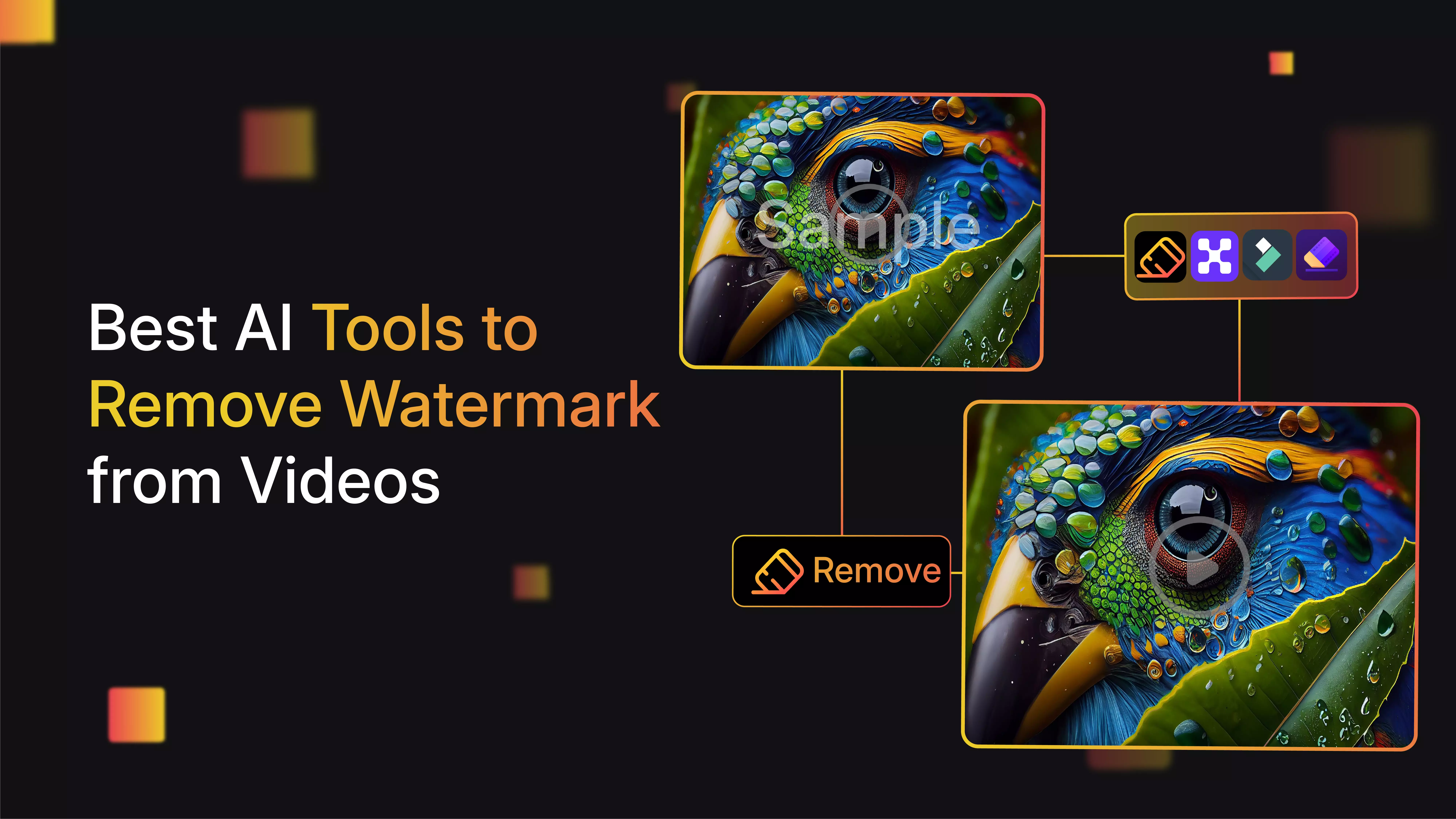

You know how it looks when you finally finish editing a video and then notice a transparent watermark on the video? It feels the worst. Those little logos can instantly make your work look less professional, no matter how much effort you put in.
Getting rid of them doesn’t have to be a headache, though. There are some solid tools out there that clean up your footage without messing up the quality. No weird crops, no blurry spots—just a clean, smooth video that actually looks like yours.
In this post, I will break down twenty of the best options to help you remove watermarks from video. I’ll go over what each of the tools is best at and share a few tips for picking the right tool for your style of work. Let’s get into it and make the videos clean in no time.
Why should you remove watermarks from videos?
- They make your videos look less professional. A clean video just looks better, simple as that.
- You can post or reuse your clips anywhere without worrying about random logos showing up.
- If you’re sending videos to clients, no watermark means you actually care about the final result.
- You get full control over how your content looks—nothing blocking your visuals or message.
- Watermarks distract the reader. People end up staring at the logo instead of watching your video.
Best AI tools to remove watermarks from videos
When I first started exploring AI tools for removing watermarks from videos, I discovered how easy it can be to get clean, professional-looking clips. These AI-powered removers detect watermarks and erase them while preserving video quality on their own. Here, I’ll share 20 of the best AI video watermark removers in 2025.
1. WatermarkRemover.io

Watermarks can make your content look dull, especially if you're trying to make a good first impression online. That's why people who make videos often look for the best AI tools to remove watermarks without hurting the quality of the original.
Videos that are clean and free of watermarks look more professional, are easier to use in other ways, and keep your audience's attention on what matters most: your visuals and message.
WatermarkRemover.io is one of the best choices right now. It finds and removes watermarks on its own, so you can see what it looked like before and after. You don't have to sign up to use it; it works with both pictures and videos.
Why did I like the tool?
- AI automatically detects and erases watermarks, logos, and text overlays.
- Preserves video quality without leaving blur or distortion.
- Supports multiple file types, like the browser supports MP4/MOV/WebM; their API lists MP4/MOV/WEBM/AVI/MPG/MPEG/MKV.
- Easily handles static, moving, transparent, or semi-transparent watermarks.
- Entirely browser-based—no downloads or installations required.
The author’s hands-on experience
When I tried WatermarkRemover.io, I was pleasantly surprised by how intuitive everything felt. I uploaded my video, and the AI smartly found the watermark without me having to point it out.
In seconds, the watermark was gone, and the video looked flawless—no weird blurs or weird edges. What I appreciated most was the simplicity; no complicated steps or interface. It felt like magic how well it preserved the original video quality. Downloading the clean video was done in a few seconds, and not having to sign up was a bonus.
2. Pixelbin AI video watermark remover
Pixelbin is one of the best AI tools for removing watermarks from videos, which finds and removes watermarks on its own while keeping the original quality of your video. It takes care of everything frame by frame for a smooth result when you upload a file or paste a URL.
Pixelbin AI Video Watermark Remover makes removing watermarks easy for creators, marketers, and teams that handle a lot of content. It exports in high resolution and is a great choice if you need to quickly and professionally clean up videos.
Why did I like the tool?
- Uses AI to detect and remove static and moving watermarks frame-by-frame automatically.
- Maintains original video quality with no loss of resolution or detail.
- Supports various formats, including MP4, MOV, and other formats.
- Easy-to-use interface suitable for users without editing experience.
- Ideal for creators, editors, and professionals wanting fast, clean, watermark-free videos.
The author’s hands-on experience
Pixelbin.io was like using a smart helper for my videos. I uploaded my video and watched as its AI carefully scanned and removed my text watermark. The results blew me away: clear, sharp video that didn't lose any color or sharpness.
The best part was that the AI handled moving watermarks well, which I didn't expect. It felt professional even though I didn't have any professional skills, so I used it whenever I needed to quickly and easily remove watermarks.
3. Filmora
If you’re trying to find an app to remove watermarks from your videos without any complicated steps, then Filmora is worth checking out. It handles watermark removal easily and makes your video look clean and professional instead of being distracted by logos or overlays.
The good news? It works on desktop and mobile, supports lots of formats, and keeps your video looking sharp. What makes it even better is that it doesn’t just remove watermarks—it gives you full editing control after that too.
So if you want to tweak the clip, add effects, crop, or zoom, you’ve got that option. And if you were worried about quality loss when removing that watermark, Filmora claims you’ll still get a high-quality output.
Why did I like the tool?
- AI-powered editing automates tasks like noise reduction, scene detection, and color correction for an efficient workflow.
- Multi-camera editing allows users to sync and switch between several camera angles seamlessly.
- Planar tracking enables the stable placement of text and objects on moving subjects without manual editing.
- AI portrait cutout with one-click background removal for green screen effects and creative overlays.
- Magnetic timeline and advanced compression optimize editing speed and output file size without quality loss.
4. VEED
VEED is a powerful browser-based video editor that lets users remove a watermark from a video online without blurring. Rather than relying on full automation, it provides flexible options to hide or cover watermarks using text, shapes, or stickers, giving full creative control over the final look. This makes it ideal for those who want to keep videos sharp and professional.
Besides watermark removal, VEED is a complete editing platform where logos or texts can be removed from the convenience of a web browser. Perfect for YouTube creators, social media managers, and freelancers looking to polish videos quickly and easily.
Why did I like the tool?
- Multiple ways to handle watermarks (crop, blur, overlay, or cover).
- Runs entirely in the browser—no installation required.
- Includes full video editing tools like trimming, subtitles, filters, and effects.
- Supports all major formats and exports in HD.
- Free version available with limited features.
5. VideoPlus AI
Watermarks can really ruin a good video. You spend time shooting and editing, and then a random logo or text sits there, stealing attention. VideoPlus AI makes getting rid of those watermarks an easier way.
You have to upload your video, let the tool do its thing, and your clip comes out clean and ready to share. No complicated steps, no confusing software—just simple and fast.
It’s great if you want to reuse videos across social media, show work to clients, or just make your content look better. With VideoPlus AI, your videos finally get the clean look they deserve.
Why did I like the tool?
- Uses advanced AI technology to automatically detect and remove both static and moving watermarks from videos.
- Supports a wide range of popular video formats, ensuring compatibility with most editing workflows.
- Preserves original video quality without blurring or pixelation after watermark removal.
- User-friendly interface requires no technical expertise, making watermark removal quick and easy.
- Offers fast processing with instant preview and download of watermark-free videos for immediate use.
6. Media.io video watermark remover
Media.io Video Watermark Remover is a great choice because it is simple to use but very effective at cleaning up your videos. Users can easily get rid of watermarks from videos with just a few clicks.
No special skills or software downloads are needed. Its simple, web-based interface is easy to use for both new and experienced users. Media.io is especially useful because it combines AI-powered accuracy with support for all popular formats.
Why did I like the tool?
- AI automatically detects and erases watermarks, logos, and text overlays.
- Preserves video quality without leaving blur or distortion.
- Supports multiple file types like MP4, MOV, AVI, MKV, and more.
- Easily handles static, moving, transparent, or semi-transparent watermarks.
- Entirely browser-based—no downloads or installations required.
- Built-in video editor with trimming, subtitles, stickers, and music tools.
7. UnWatermark
We've all been there: you find the video clip, but the watermark makes it look bad. That's where UnWatermark comes in. It's a beginner-friendly online tool that lets you clean up your videos with just a few clicks. You don't need to know how to edit.
With the help of AI to remove watermarks from videos, UnWatermark cleans the video for you in a short period. It looks at each frame, takes out the watermark, and keeps the quality of your video sharp and smooth.
Why did I like the tool?
- AI-powered automatic watermark detection and removal for videos, images, and PDFs.
- Preserves original quality without blurring or pixelation, ensuring professional results.
- Supports popular formats including MP4, MOV, M4V, JPG, PNG, and PDF.
- Offers manual and automatic removal modes with brush and frame selection tools.
- No signup needed; respects user privacy by not storing uploaded files.
8. HitPaw online watermark remover
HitPaw’s online watermark remover is user-friendly and one of the best in-browser watermark removers for videos. Upload your video, highlight the watermark area, and let the tool process it. You can even track the watermark manually if it moves slightly during playback.
To remove a floating watermark from a video using HitPaw, you may need to use its frame-by-frame assist. It’s not fully automatic for complex motion, but it gives you solid control and pretty smooth results. Great if you’re dealing with stock footage previews or brand overlays that shift positions.
Why did I like the tool?
- HitPaw supports common video formats like MP4, MOV, AVI, etc.
- The tool is browser‑based; no software installation is required.
- This tool can manually select the watermark region (brush or drag).
- This tool allows you to preview results before downloading.
- The free version is limited (preview only, lower functionality).
- A paid version or premium plan is needed to unlock full export, remove the built‑in logo, and get faster processing and larger file size limits.
9. AniEraser
Finding the perfect video only to be greeted by a watermark can be so frustrating. Thankfully, we have AniEraser, which is a user-friendly online tool that lets you erase unwanted overlays in seconds after getting free trials/limits do apply. Whether you’re prepping content for social media, this tool works the best.
With its smart AI-powered features, AniEraser offers one of the best AI tools to remove watermarks from videos and images while maintaining the quality. Just upload your file, mark the watermark or logo, and let the system handle the rest. Effortless editing, sharp results, and no heavy learning curve.
Why did I like the tool?
- Multiple ways to handle watermarks (crop, blur, overlay, or cover).
- Runs entirely in the browser—no installation required.
- Includes full video editing tools like trimming, subtitles, filters, and effects.
- Supports all major formats and exports in HD.
- Free version is available with limited features.
10. Vmake AI video watermark remover
Vmake.ai's Video Watermark Remover is an AI-powered and one of the best tools to remove watermarks from videos, and it works great for content creators and teams that work with a lot of videos. Its easy drag-and-drop workflow makes it quick and one of the best tools for beginners.
This is great for updating clips or getting content ready in a better way. Vmake's technology works best when it is used to process a lot of things at once. You will upload the video, and the AI automatically removes the floating watermark in one go.
Why did I like the tool?
- AI detection for automatic watermark and logo removal.
- Works with MP4, MOV, AVI, 3GP, and other common video formats.
- Option to remove the watermark without cropping the frame.
- Supports multiple uploads, with batch processing available on paid plans.
- Free preview before download; full export available with credits.
- User-friendly interface—no editing skills required.
11. Airbrush video watermark remover
If you’ve got a video with a watermark and just want to remove the watermark without spending hours editing, Airbrush has a tool that can help. It runs in your browser, so you don’t need to install anything, and it’s pretty straightforward to use.
You just upload your video, mark the watermark area, and the tool does the rest. It goes frame by frame and tries to clean it up without messing with the quality too much. It’s not perfect, but for quick fixes—especially if you’re not using pro editing software—it gets the job done. Works on logos, timestamps, text, all that.
Why did I like the tool?
- Smart AI detects and removes selected watermark areas.
- Simple, free-to-use online workflow with no software download.
- Supports popular video formats.
- Keeps video quality high, with no blurry areas after removal.
- Works directly in any browser on any device.
12. Sora watermark remover
Ever spent time crafting the perfect clip only to find a watermark spoiling the look? That’s where Sora Watermark Remover comes in—a simple web tool that takes the watermark off in no time. Whether you're making videos for social media, clients, or personal purposes, it’s built to help you polish your video without needing hours of manual editing.
What makes it stand out is how it uses AI tools to remove watermarks from videos in such a short period. Simply upload your clip, highlight the logo or badge, and the system takes care of the rest—reconstructing the background, keeping the motion smooth, and maintaining the original video quality.
Why did I like the tool?
- Automatically detects and removes Sora watermarks, including text overlays and logos, with advanced AI technology.
- Maintains original video quality, resolution, frame rate, and color without blurring or artifacts.
- Uses intelligent inpainting to reconstruct backgrounds seamlessly for professional, natural results.
- Browser-based, no downloads required, enabling fast and secure watermark removal on any device.
- Supports batch processing to remove watermarks from multiple videos simultaneously.
13. MagicEraser AI video watermark remover
All of us have had that moment when a great video gets spoiled by a big, unwanted watermark sitting right on the video. MagicEraser AI Video Watermark Remover makes fixing that simple. You don’t need editing experience or heavy software—upload your clip, and the tool does the rest.
It’s quick, clear, and made for anyone who wants clean, professional-looking videos. With the help of smart AI tools to remove watermarks on videos, MagicEraser carefully clears away marks without ruining the background or quality.
Why did I like the tool?
- Removes logos, text, timestamps, and subtitles cleanly.
- Works entirely online with no software installation required.
- Supports major video formats, including MP4, MOV, AVI, and M4V.
- Fast upload and instant watermark removal in seconds.
- No need for signup or registration, ensuring hassle-free usage.
- Maintains original video quality with no blur or distortion.
- Handles both static and moving watermarks effectively.
14. Clipfly AI watermark remover
Clipfly’s watermark remover uses AI to clean up your footage without damaging the rest of the image. Whether you’re dealing with logos, text, or semi-transparent overlays, the tool is designed to detect and replace those areas naturally.
To remove a watermark from a video, Clipfly tracks motion and adjusts its removal accordingly. It’s quick, requires no editing experience, and works well for content creators who need polished results without going deep into software tools. Simply upload, process, and download; it's done.
Why did I like the tool?
- Advanced AI algorithms using deep learning technology.
- Moving watermark tracking with target tracking and motion tracking algorithms.
- One-click removal—simply paint over the watermarked area.
- No blur guarantee with high-quality output.
- Free credits are available for watermark removal.
- Fast processing leads to removing watermarks in seconds.
15. Online Video Cutter by 123 Apps
Sometimes you finish a video and notice that annoying watermark or logo sitting right there in the corner. Online Video Cutter’s “Remove Logo” feature is exactly for those moments. You don’t need to download anything or figure out complex software.
You just upload your video, highlight the logo area, and wait a little. Then, it’s gone. Honestly, it feels like magic, but without any fuss. For anyone who wants to remove a watermark from a video quickly and without stress, this is a lifesaver.
What I like most is how simple it is. No confusing interface—just a few clicks and your video looks clean. It doesn’t overcomplicate things and doesn’t make your video look weird afterward. If you’ve ever wanted a tool that’s fast and actually works without headaches, this one’s it.
Why did I like the tool?
- Easy blur or remove options for removing logos and texts.
- Supports a wide range of formats (MP4, MOV, AVI, etc.).
- 100% browser-based—no downloads or sign-ups needed.
- Offers other tools like trimming, rotating, and adding text.
- Exports videos without adding any watermark of its own.
- Occasionally, it leaves slight blur traces on detailed backgrounds.
16. Simplified Video Watermark Remover
All of us know how frustrating it is to find a great video clip, only to have a watermark spoil the work. With Simplified, cleaning up your videos is quick and easy. You just upload the file, select the watermark, and let the tool do its job. It’s made for creators who want a simple tool to clean the watermark.
Using advanced AI tools to remove watermarks from videos, Simplified keeps every frame clear and natural. There’s no blur, no patch—all clean, professional-looking footage ready to post or share.
Why did I like the tool?
- Supports popular formats such as MP4, MOV, AVI, and more for versatile use.
- Preserves original video quality, avoiding blurring or pixelation after watermark removal.
- No manual editing skills required; user-friendly interface suitable for beginners and professionals.
- Offers instant preview and download of watermark-free videos for convenience.
17. ScreenApp AI video watermark remover
Ever found a perfect video clip but got distracted by a watermark sitting on the video? With ScreenApp’s AI Video Watermark Remover, you can fix the hassle of removing the watermark without using any heavy editing software.
Upload your file, let the AI detect the watermark, and get back to sharing a clean video. By using smart AI tools to remove watermarks from videos, ScreenApp spots watermarks, logos, or text overlays and erases them while maintaining the quality and detail.
Why did I like the tool?
- Uses AI to automatically detect and remove watermarks from videos.
- Supports fast processing on any device via browser without downloads.
- Preserves original video quality, resolution, and playback speed after removal.
- Supports batch processing for multiple videos simultaneously.
- Works with various video formats like MP4, MOV, AVI, and MKV.
18. AI watermark remover
If you’ve ever grabbed a video you love only to see a watermark ruining the look, this tool is a game‑changer. With AI Watermark Remover, you just upload your clip, mark the area you want cleaned up, and the tool takes care of the rest. No heavy editing software, no learning curve; it's simply an easy way to get the video how you want.
This tool uses smart AI to remove watermarks from videos, making sure the background stays intact and the output remains sharp. You can get back a clean video after the process is completed.
Why did I like the tool?
- AI-powered removal of all types of watermarks, including complex full-screen ones, with no blur or artifacts.
- Use the brush tool to highlight the watermark or unwanted objects for precise removal.
- Removal of unwanted objects or passersby seamlessly, preserving the original background and content.
- Fast, one-click processing delivers lossless, high-quality, watermark-free videos within seconds.
- Special TikTok watermark removal feature for easy repurposing on other platforms.
19. PixEraser video watermark remover
We’ve all come across a video we loved, only to be annoyed by a watermark in the corner. PixEraser Video Watermark Remover makes it easy to get rid of those marks. Only upload your video, select the watermark, and let the tool clean it up. No heavy software or hours of editing are required.
The tool works carefully to keep the video looking natural and sharp. Using AI tools to remove watermarks from videos, PixEraser handles logos, texts, and other overlays so your footage looks professional and ready to use.
Why did I like the tool?
- Web-based video watermark remover accessible through any browser without software installation.
- Supports popular video formats like MP4, MOV, AVI, and more with lossless quality export.
- Easy-to-use rectangle tool to highlight and erase watermarks, logos, timestamps, or texts instantly.
- An AI-powered algorithm detects and removes watermarks without damaging the video background or quality.
- No account or payment is required for the free and fast watermark removal service.
20. DeWatermark.ai
Have you ever watched a video that looked great—except for that unwanted watermark sitting right in the corner? With DeWatermark.ai, you can fix that in just a few clicks. Upload your video, let the tool do its job, and you’ll have a cleaner version that's ready to use.
This is a simple solution that uses smart AI tools to remove watermarks from videos, so it detects logos, stamps, or overlays and removes them while keeping your video sharp and intact. Whether you’re cleaning up a hobby clip or prepping professional footage, DeWatermark.ai makes it easy and fast.
Why did I like the tool?
- An AI-powered tool to automatically detect and remove watermarks from images and videos.
- Offers a free plan with three daily credits and affordable subscription options for higher usage.
- Provides a user-friendly interface suitable for both beginners and professionals.
- Uses advanced AI algorithms for precise watermark removal while preserving original quality.
- Supports batch processing for efficient removal from multiple images or videos.
How to choose the best AI tool to remove a watermark from a video
- Find an AI tool that supports the video formats you commonly use, like MP4, MOV, or AVI.
- Pick one that can find watermarks on its own, so you don’t waste time looking for them.
- Make sure it removes the watermark while maintaining the colors or clarity of your video.
- If you want to remove a moving watermark, choose a tool that can handle it so your video stays smooth.
- Look for something simple to use, with clear instructions, especially if you’re not an editor.
- Verify if watermark removal results in natural, artifact-free backgrounds and seamless video flow.
- Look for options that don’t require complicated editing skills or software installation—web-based tools are convenient.
- Review the privacy policy to confirm your videos and data are secure with auto-deletion after processing.
- Compare pricing and free trial availability; some tools provide free daily credits or demo previews before purchase.
Final thoughts
The first and most important thing to think about when it comes to removing watermarks from videos is whether or not it is legal. Copyright laws often protect watermarks, and taking them off without permission can have serious legal issues.
Before you try to remove any watermark, make sure you have the rights or licenses to do so. However, it is very important to use watermark-free content in an ethical way. This means respecting the rights of the creators, not using it without permission, and using legal ways to get it or buy it.
Out of all the tools to remove watermarks from the video, WatermarkRemover.io stands out from the rest because it has a simple interface, processes quickly, and does a great job of removing watermarks without lowering the quality of the video. If you want professional results without any technical problems, this is a good choice.
FAQ's
How does AI remove watermarks from videos?

AI analyzes each video frame, detects watermark patterns, and intelligently replaces the watermark area with corresponding background pixels, ensuring a natural, unblemished look.
Can AI watermark removers handle moving or animated watermarks?
Yes, advanced AI tools track moving watermarks frame-by-frame to remove them smoothly without disrupting video quality or flow.
Is the original video quality preserved after watermark removal?
Most top AI tools maintain the original resolution and clarity, avoiding blur or pixelation during the watermark removal process.
Do I need technical skills to use AI watermark removal tools?
No, many AI watermark removers feature user-friendly interfaces that require no technical expertise—simply upload your video and let the AI handle the rest.
Are AI watermark removers free to use?
Some tools offer free versions or trial credits, but higher resolution processing or bulk removal may require a paid subscription.